
The Full Landscape of Smart Home Device Categories
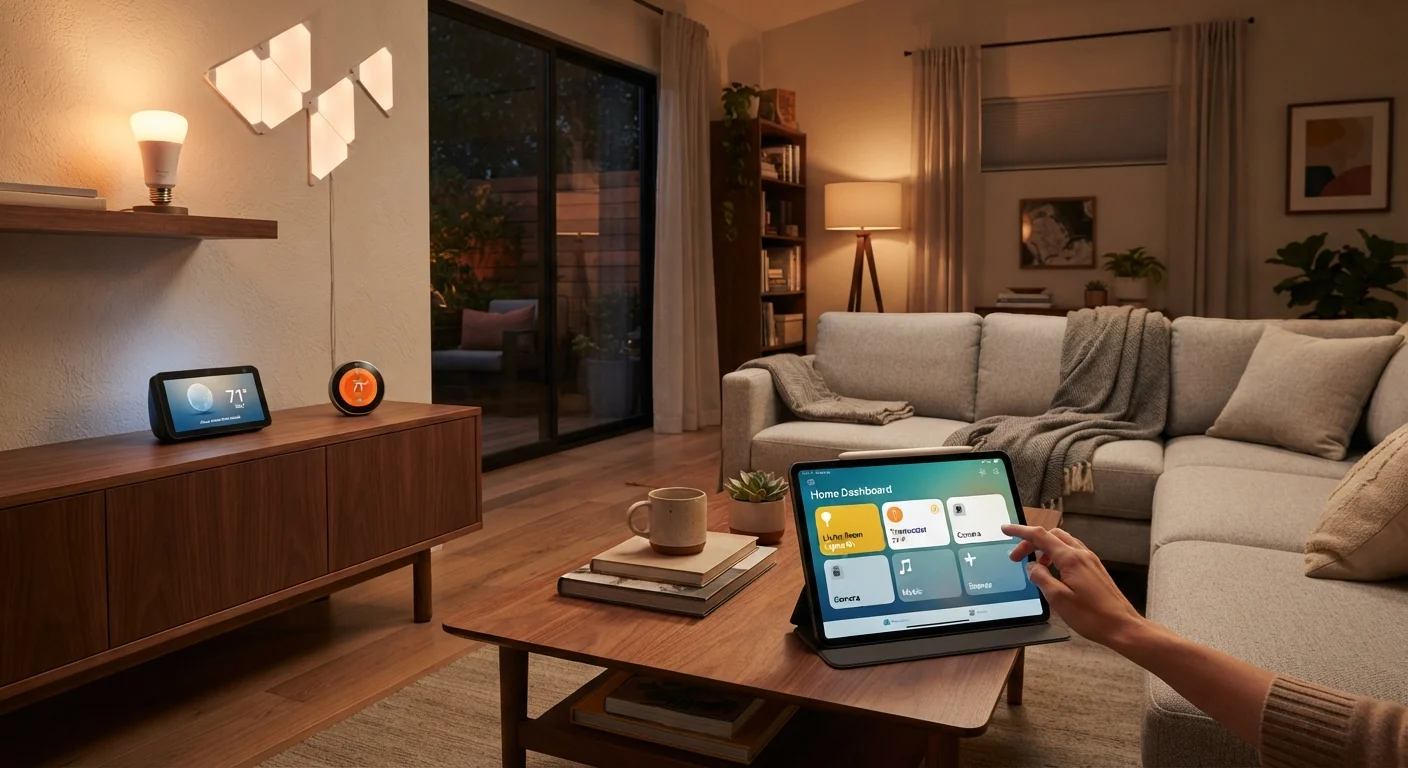
Photo credit: SnippetColumns.com | Easy Search, Reliable Information
In this article
From lighting and locks to energy monitors and air quality sensors — a comprehensive reference to every major category of smart home device and what each does.
Key Takeaways
- Smart home devices fall into six core categories: lighting, security, climate, entertainment, energy, and appliances.
- Not every category will benefit every household — matching categories to real problems saves money.
- Device compatibility depends heavily on the wireless protocol each device uses.
- A hub may or may not be required depending on the protocols you choose.
- Starting with one category and expanding gradually reduces overwhelm and wasted spending.
Why Categories Matter Before You Buy
The smart home market is enormous — and deliberately confusing. Manufacturers package everything from light switches to refrigerators under the same "smart" umbrella, making it genuinely difficult to figure out what you actually need versus what just sounds appealing in a product listing.
Thinking in categories cuts through that noise. When you understand what a given type of device is designed to do, you can ask a more useful question: Does that solve a real problem in my home? That question alone eliminates a significant amount of impulse spending.
Before diving into the categories themselves, it helps to know that devices communicate using different wireless standards. Wi-Fi, Zigbee, Z-Wave, and Thread all work differently, and mixing protocols without a plan can create compatibility headaches down the road.
Before buying any smart device, check which platform it natively supports — some devices work with multiple ecosystems while others lock you into one. Choosing platform-agnostic devices from the start prevents a painful migration later.
Ecosystem lock-in is one of the most common regrets among smart home enthusiasts, and it's almost entirely avoidable with a few minutes of pre-purchase research.
Prioritize devices that support local processing — meaning they work even when the internet goes down — for anything security or safety related.
Cloud-dependent locks and cameras can become inaccessible during an outage, which is precisely when you need them most.
Lighting and Electrical Control
Lighting is the most common entry point into smart homes for good reason — it's low-stakes, visibly useful, and easy to install without rewiring.
- Smart bulbs: Replace standard bulbs and connect directly via Wi-Fi or a hub. Offer scheduling, dimming, and often color control.
- Smart switches and dimmers: Installed at the wall, they make any connected light — including dumb bulbs — controllable remotely.
- Smart plugs: Turn any corded lamp or appliance into something you can control and schedule via an app.
The difference between bulbs and switches matters: bulbs require the physical switch to stay on at all times, while smart switches let you control power at the wall without losing remote access. For multi-bulb fixtures or households with kids who habitually flip switches, smart switches often make more practical sense.
Security, Access, and Monitoring
Security devices represent the broadest category in smart home tech, covering everything from doorbell cameras to full alarm systems.
- Video doorbells: Stream live video to your phone and record motion events at your front door.
- Indoor and outdoor cameras: Provide surveillance coverage with motion detection, night vision, and cloud or local storage.
- Smart locks: Replace or augment deadbolts to allow keypad codes, app unlocking, and access logs.
- Motion and contact sensors: Detect movement or open doors/windows and trigger automations or alerts.
- Smart smoke and CO detectors: Send alerts to your phone rather than just sounding locally.
Check Data Storage and Subscription Terms
Many security cameras and video doorbells require a paid cloud subscription for video history and key features beyond live view. Before purchasing, confirm exactly what the device does without a subscription and what it costs with one. Some manufacturers have changed or discontinued free tiers after product launch, so read current terms rather than relying on older reviews.
When evaluating cameras, pay attention to where footage is stored — cloud storage typically requires a recurring subscription, while local storage (SD card or home server) involves upfront setup but no ongoing cost.
Climate and Air Quality
Climate devices affect daily comfort and long-term energy costs, making them among the more consequential smart home investments.
- Smart thermostats: Learn or follow schedules to heat and cool your home more efficiently. Many connect to utility demand-response programs.
- Smart vents: Redirect airflow room by room in forced-air systems to avoid heating or cooling unused spaces.
- Air quality monitors: Measure particulates (PM2.5), VOCs (volatile organic compounds), CO₂, humidity, and temperature, surfacing data that is otherwise invisible.
- Smart air purifiers and humidifiers: Adjust automatically based on sensor readings rather than running on a fixed timer.
Air quality monitors in particular are an underappreciated category. Indoor air can carry pollutants at levels the EPA considers unhealthy without any visible or odor cue — having real data changes how you manage ventilation and filtration.
90%
Time Americans spend indoors on average
According to EPA estimates, Americans spend approximately 90% of their time indoors, where air pollutants can be 2–5x higher than outdoor levels.
10–15%
Typical heating/cooling savings from smart thermostats
Energy savings from programmable and smart thermostats are widely cited in the 10–15% range for heating and cooling costs when used as intended, according to U.S. Department of Energy guidance.
Entertainment and Voice Control
This category blends media consumption with the hub-like control layer that ties other devices together.
- Smart speakers and displays: Provide voice control for music, timers, information queries, and smart home commands. The display variants add visual responses and video calling.
- Streaming media players: Connect TVs to streaming services; higher-end models integrate with smart home platforms for unified control.
- Smart TVs: Embed streaming and — on some platforms — basic smart home dashboards directly into the television.
Voice assistants embedded in smart speakers effectively act as an informal hub: they can control lights, locks, thermostats, and more through voice commands without requiring a dedicated hub device. That said, for complex automations or devices using Zigbee or Z-Wave, a proper hub may still be necessary. Understanding when a hub is and isn't needed helps avoid buying hardware you don't require.
Energy Monitoring and Appliances
Energy monitoring sits at the practical intersection of savings and environmental awareness.
- Whole-home energy monitors: Clip onto your electrical panel's main lines and break down consumption by circuit or appliance via machine learning.
- Smart plugs with energy monitoring: Track individual device consumption at the outlet level.
- Smart appliances: Washers, dryers, dishwashers, and refrigerators that report status, allow remote start, and in some cases adjust cycles based on utility pricing signals.
- EV chargers: Wi-Fi-connected chargers that schedule charging during off-peak hours when electricity rates are lower.
Energy monitoring is one of the few smart home categories where the device pays for itself through behavioral change — seeing real numbers tends to shift usage habits in ways that general awareness does not.
Smart Appliances Require Compatible Infrastructure
Many smart appliances assume a stable 2.4GHz or 5GHz Wi-Fi signal near the installation location. Before purchasing a smart washer or dryer, verify your router signal reaches your laundry area reliably. A weak signal is one of the most common reasons smart appliances fail to connect or drop their connection intermittently.
How to Choose Where to Start
The honest answer is: start with the category that solves an actual frustration, not the one that sounds most futuristic.
If you routinely leave lights on, lighting control is your entry point. If package theft is a concern, a video doorbell addresses a real problem. If your heating bill surprises you every winter, a smart thermostat has a clear value proposition.
Once you've identified a category, check what wireless protocol those devices use before purchasing. Mixing incompatible protocols without a unifying hub can leave devices that won't talk to each other. A first-timer's roadmap can help you sequence purchases in an order that builds naturally rather than creating a patchwork of disconnected gadgets.
For a structured way to apply these categories room by room, the room-by-room smart home upgrade checklist is a practical companion to the overview above.
Build a Category Before Adding Another
Resist the urge to buy one device from every category at once. Getting a single category working reliably — automations, routines, and all — builds the foundation and confidence to expand sensibly. Spreading thin across six categories simultaneously almost always results in half-finished setups that feel more like chores than conveniences.

Author
Tech & Gadgets Editorial Team
Tech & Gadgets Editorial Team is the collective byline for our editorial team and contributor network. Articles published under this byline or an editorial pen name are researched, written, and reviewed according to our editorial standards for clarity, consistency, and independence before publication.
View all articles →