
Battery Health Explained: What the Percentage Means and Why It Degrades
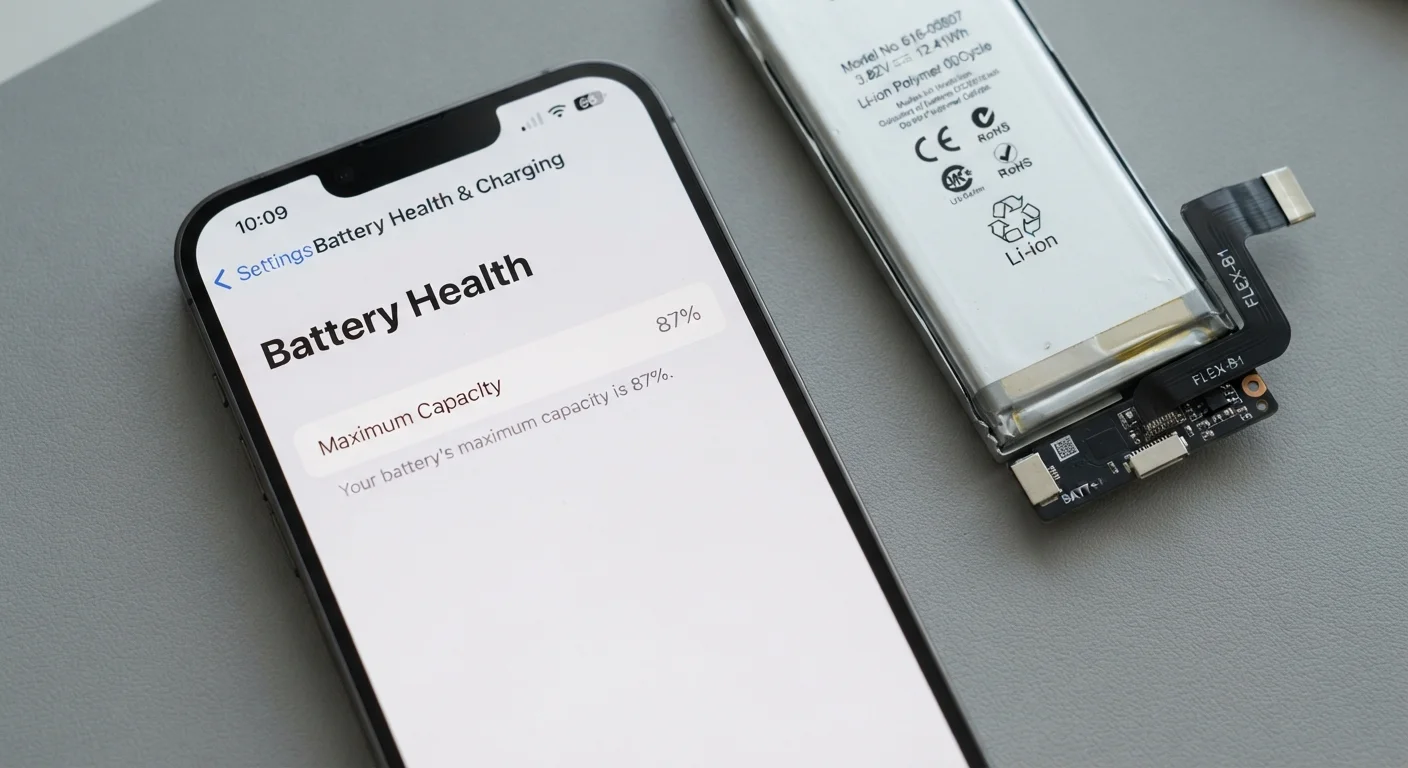
Photo credit: SnippetColumns.com | Easy Search, Reliable Information
In this article
Battery health isn't a mystery. Understand what the metric measures, why lithium-ion cells age, and what genuinely slows that process.
Key Takeaways
- Battery health measures remaining charge capacity as a percentage of the original factory rating.
- Lithium-ion cells degrade through chemical reactions that occur with every charge cycle.
- Heat is the single largest accelerator of battery degradation — more so than charging frequency.
- Keeping charge levels between roughly 20% and 80% can meaningfully slow capacity loss over time.
- Most manufacturers consider a battery serviceable down to around 80% health.
- Software optimizations like adaptive charging can reduce wear without changing your habits.
What the Percentage Is Actually Telling You
When your phone reports a battery health of, say, 87%, it means the battery can now hold 87% of the charge it was rated for when it left the factory. A battery that once held 3,000 mAh (milliampere-hours) now holds roughly 2,610 mAh at full charge. That translates directly to fewer hours of use before you need to plug in.
The number is calculated by the phone's battery management system, which compares the measured full-charge capacity against the rated design capacity. It updates gradually over time and is an estimate rather than a precise reading — small fluctuations are normal and don't signal a problem.
Understanding this metric helps you make smarter decisions about your device. For a broader look at keeping your phone in good shape over the long run, see our guide to keeping your phone performing well over time.
~500
Typical full charge cycles before noticeable capacity loss
Lithium-ion batteries are commonly rated for around 300–500 full charge cycles before capacity drops to approximately 80%, though real-world results vary by usage and temperature.
80%
Health threshold considered end of serviceable battery life
Most major smartphone manufacturers cite 80% remaining capacity as the point at which battery replacement is recommended for reliable performance.
~20°C
Optimal storage temperature for lithium-ion cells
Battery researchers generally identify room temperature (around 20°C / 68°F) as the range that minimizes chemical degradation in lithium-ion batteries during storage and use.
Why Lithium-Ion Batteries Age — The Chemistry in Plain Terms
Every charge cycle causes microscopic changes inside a lithium-ion cell. Lithium ions shuttle between electrodes during charging and discharging, and each trip degrades the electrode materials slightly. Over hundreds of cycles, the electrodes lose their ability to absorb and release ions as efficiently, and the electrolyte — the liquid medium between electrodes — slowly breaks down.
Heat dramatically speeds up these reactions. A battery that spends significant time at high temperatures (from direct sun, heavy gaming, or wireless charging on thick cases) degrades noticeably faster than one kept cool. This is why heat, not charge count alone, is the primary enemy of battery longevity.
Voltage stress matters too. Lithium-ion cells experience more strain at the extremes — fully charged (100%) or nearly empty (below 10%). The ions pack more tightly at full charge, creating internal pressure that accelerates material breakdown over time.
“The biggest misunderstanding people have about batteries is that charge cycles are the main enemy. Temperature is far more damaging — a battery stored at high heat degrades significantly faster than one that's been cycled frequently at room temperature.”
— Battery Research Community, General consensus among electrochemical engineers studying lithium-ion cell degradation
Habits That Genuinely Slow Degradation
You can't stop degradation, but you can pace it. A few practical habits make a measurable difference:
- Avoid sustained high charge levels. Parking your phone at 100% for hours overnight keeps the battery under continuous voltage stress. Many phones now offer optimized or scheduled charging that delays the final charge until just before you wake up — enabling this feature is worthwhile.
- Avoid frequent deep discharges. Letting your phone die completely on a regular basis adds unnecessary cycle stress. Plugging in before you hit 20% is a reasonable rule of thumb.
- Manage heat. Remove thick cases when fast charging, avoid leaving your phone on a hot car dashboard, and don't cover the device during intensive use like gaming or navigation.
- Use standard charging speeds when time allows. Fast charging is convenient but generates more heat. Overnight charging at standard speeds is gentler on the cells.
Enable Optimized Charging on Your Phone
Both major mobile platforms — iOS and many Android variants — include an optimized or adaptive charging feature that learns your overnight routine and delays full charge until shortly before you typically wake up. This simple setting can meaningfully reduce the hours your battery spends at 100%, extending its useful life without any extra effort on your part. Check your battery settings to confirm it's turned on.
These habits connect directly to the broader question of longevity versus performance — a battery can deliver great short-term performance while wearing out faster if pushed hard.
When to Stop Worrying and When to Act
Battery health between 80% and 100% is the normal operating range for most devices. You may notice slightly shorter battery life at 85% versus 95%, but day-to-day use typically remains comfortable. Below 80%, most manufacturers consider the battery degraded — and many explicitly recommend replacement at that point.
Signs that degradation is affecting usability include your phone shutting down unexpectedly at moderate charge levels, dramatically shorter runtime, or the device throttling performance to protect an aging battery. These are signals to consider a battery replacement, which is available through manufacturer service programs and many third-party repair shops.
Software updates sometimes include battery optimizations that adjust performance and charging behavior — keeping your operating system current is a low-effort way to benefit from these improvements. For more habits that extend device life across your tech, extending the life of your everyday electronics covers practical steps beyond battery care.
Frequently Asked Questions

Author
Tech & Gadgets Editorial Team
Tech & Gadgets Editorial Team is the collective byline for our editorial team and contributor network. Articles published under this byline or an editorial pen name are researched, written, and reviewed according to our editorial standards for clarity, consistency, and independence before publication.
View all articles →