
Storage Full: Why Your Phone Fills Up Faster Than You'd Expect
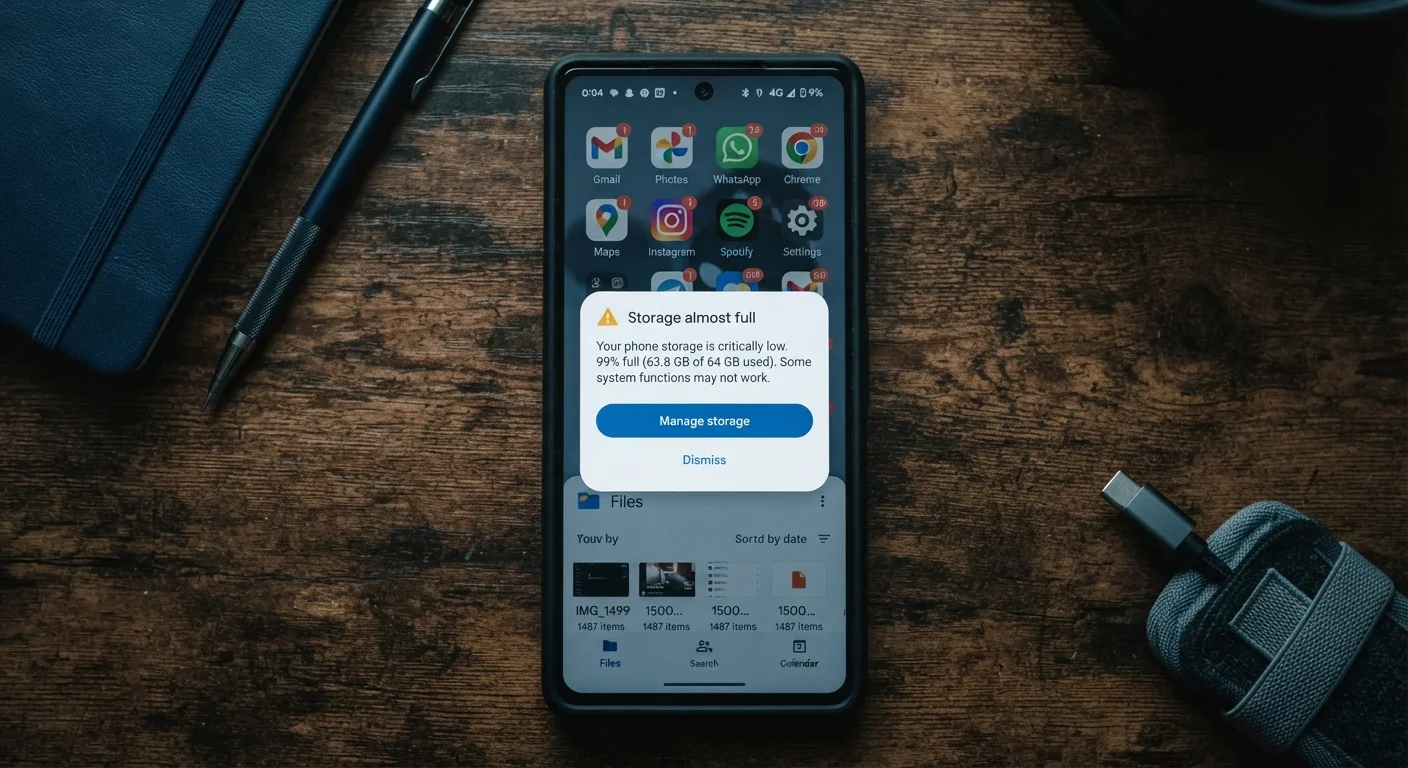
Photo credit: SnippetColumns.com | Easy Search, Reliable Information
System files, app caches, and duplicate photos eat space quietly. Learn what's really consuming your phone's storage and how to reclaim it.
Key Takeaways
- App caches, offline downloads, and duplicate photos silently consume gigabytes over time.
- System data and software updates occupy meaningful storage that users rarely account for.
- Regular, small-scale storage audits prevent the sudden 'phone full' crisis most people dread.
- Cloud backup and smart photo management can free significant space without deleting anything important.
- Understanding what actually eats storage helps you avoid unnecessary device upgrades.
Why Storage Disappears So Quietly
You bought a 128 GB phone. Now, two years later, it's perpetually gasping for space — and you can't figure out why. You haven't downloaded that many apps. You deleted old texts. You even cleared a few photos. So where did it all go?
The honest answer: phone storage drains through a dozen small, invisible channels simultaneously. No single culprit is always to blame. It's the combination of system overhead, app behavior, and user habits that stacks up fast. Understanding the pattern is the first step to stopping it.
For a broader look at keeping your device healthy beyond storage, see our guide to long-term phone performance.
Ignoring app cache buildup over time.
Why it happens: Most people think of app size as fixed — the storage it took to install. In reality, apps accumulate cache files (temporary data, images, logs) continuously, sometimes growing several times their original install size.
Keeping every photo and video without any culling habit.
Why it happens: Modern phone cameras default to high-resolution capture, and shooting multiple shots to get one good one is natural. But those near-duplicate photos and unreviewed videos accumulate into gigabytes most people never notice.
Leaving offline downloads from streaming and navigation apps untouched.
Why it happens: Downloading a playlist, podcast episodes, or offline maps feels practical in the moment. People forget to remove content after using it, and these files quietly accumulate.
Underestimating how much space the operating system and updates consume.
Why it happens: Advertised storage (64 GB, 128 GB) reflects raw capacity, not usable space. The operating system, pre-installed apps, and system partitions for updates can consume 10–20 GB before you install a single personal app.
Using the phone's native messaging app to store years of media.
Why it happens: Every photo, video, voice memo, and GIF sent through messaging apps gets saved locally. Group chats in particular generate large volumes of media that users rarely think to clear.
How to Actually Reclaim the Space
Once you understand the mistakes driving storage loss, the fix becomes more targeted than just deleting apps at random.
10–20 GB
Typical OS and system overhead on modern smartphones
Operating systems, pre-installed software, and update partitions claim this space before any personal content is added, regardless of advertised capacity.
~4 GB
Average size of a single hour of 4K video
Phones recording in 4K at 60fps can generate storage demands that surprise users who don't regularly offload or delete footage.
Run a real storage audit first. Both Android and iOS have built-in storage breakdown screens (Settings → General → iPhone Storage, or Settings → Storage on Android). These screens categorize what's using space — photos, apps, system data, and other — so you're making informed decisions rather than guessing.
Offload, don't just delete. iOS offers an "Offload App" option that removes the app itself but retains your data. This is useful for apps you need occasionally but not daily. Android handles this differently by app, so check each app's storage settings individually.
Manage photos strategically. Enable cloud photo backup (through your preferred service), then verify the backup completed before deleting local copies. For a detailed look at backup trade-offs, compare cloud and local backup options before committing to one approach.
Audit downloads and offline content monthly. Streaming apps, navigation tools, and podcast apps accumulate offline content fast. Set a recurring reminder to clear downloads you've already consumed.
Don't Clear System Data You Don't Recognize
Some storage-cleaning apps and guides suggest clearing system or "other" data aggressively. Deleting files your operating system depends on can cause app crashes or require a factory reset to fix. Stick to clearing cache and user-generated content you can identify — don't delete anything labeled as system or OS data unless you know exactly what it is.
Staying on top of storage also intersects with privacy. Permissions granted to apps can quietly enable data collection that compounds over time — worth reviewing alongside your phone's privacy settings.

Author
Tech & Gadgets Editorial Team
Tech & Gadgets Editorial Team is the collective byline for our editorial team and contributor network. Articles published under this byline or an editorial pen name are researched, written, and reviewed according to our editorial standards for clarity, consistency, and independence before publication.
View all articles →